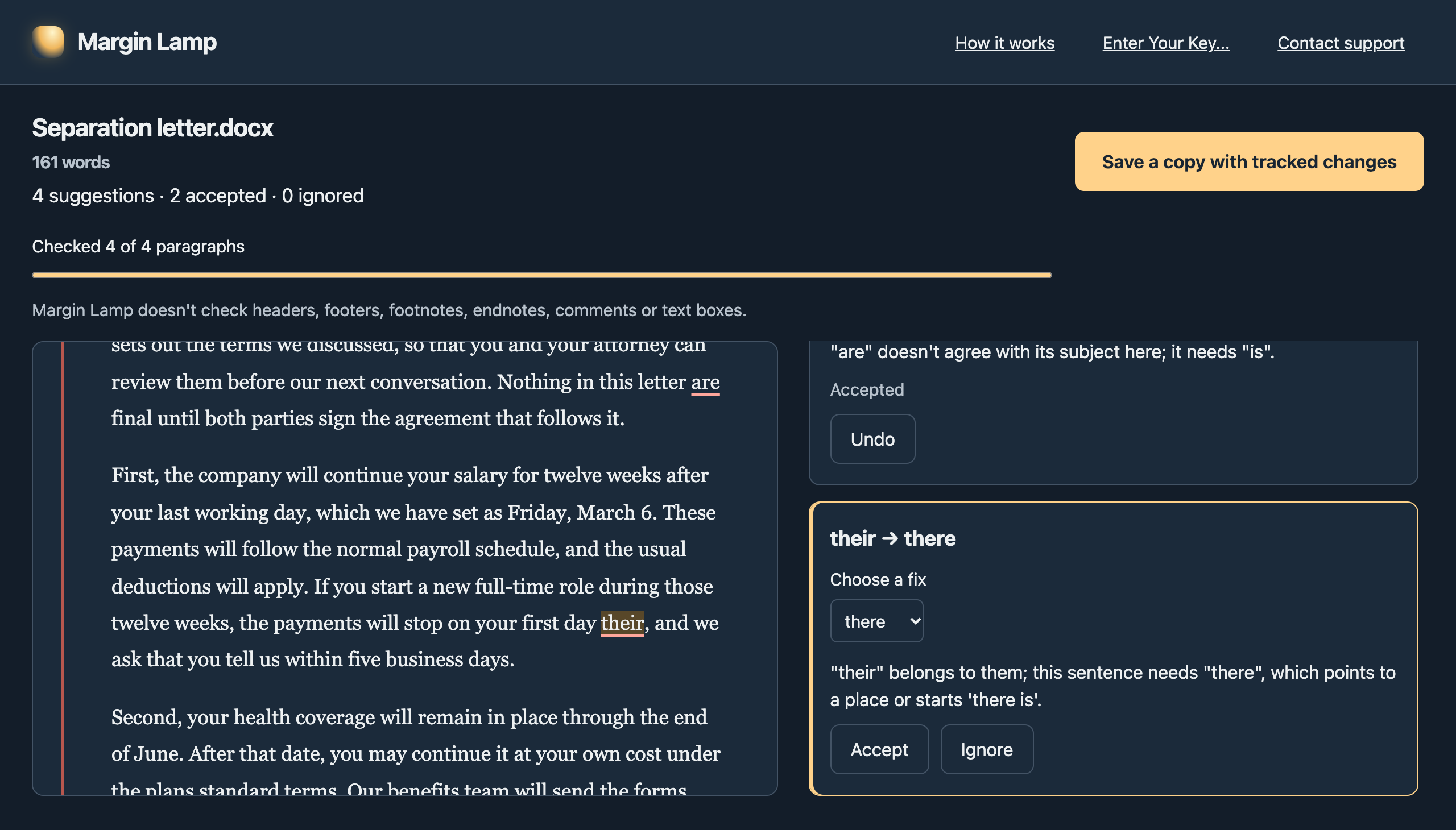
How will I review a Word file?
Margin Lamp will open a Word .docx and show suggested fixes with a short plain-English reason for each fix.
Margin Lamp will check writing on your computer and will never send the writing.
Margin Lamp will save a separate copy with real Word tracked changes, for you to accept or reject in Word.
| Stage | What to look for |
|---|---|
| Original .docx | Keep a known starting file. Use a copy of a harmless document for your first trial. |
| Suggested fixes | Read the sentence and reason together. Check whether the meaning is unchanged. |
| Separate review copy | Open the output in Word and inspect proposed edits before making them final. |
Think about the colleague who opens the saved document. They need to see what changed without copying a list from a checker window. The drawing shows the review I’m aiming for. It does not prove that a real Word file opens and saves correctly.
Can Word check grammar offline already?
Basic Editor functionality remains available offline or with connected experiences that analyze content disabled. In both cases, no content or data about Editor use is sent to Microsoft.
Microsoft lists Editor among connected experiences that analyze your content.
Microsoft’s statement tells you when the basic check is available and what is sent. It gives no error count. I have not measured that check. It may be enough for a light pass. Try a made-up sample and keep the starting text beside the result.
You do not need another app just because its name says private. Check your settings and decide what sort of review you need. For work documents, follow your employer’s rules about the checker and where you save files. Those rules matter even when checking happens on your computer.
Why keep edits visible?
A replacement sentence can look reasonable while shifting a promise, a deadline or who must act. Marked edits let the reviewer look at the change instead of hunting for it in two clean files. They also create a place to disagree. You do not owe a grammar tool an automatic yes.
When you receive a revised file, read more than the highlighted word. Read the line before it and the line after it. A small grammar choice may depend on a name, a defined term or a point made earlier. Keep that human check in the process even if every suggestion looks tidy.
What will the first release leave out?
The first version will check English Word files. It will not include pasted text, an any-app hotkey, browser extensions, phones or other languages.
Margin Lamp will be for Mac and Windows, with one licence and a one-time payment.
I want to be clear about the first release before you join the email list. Think about how often you review English Word files. For other writing, compare the tools you can use today. There is no reason to wait for a feature that has no release date.
Before release, I need to open saved copies in Word and review the edits. Tables, comments and existing changes need testing too. The engine test covers none of that file handling. Wait for the app’s test record and try a made-up document before opening important work.
Questions people ask
Will the original be overwritten?
Margin Lamp will save a separate copy with real Word tracked changes, for you to accept or reject in Word. Keep your own backup as part of any review.
Can I check an email without making a file?
The first version will check English Word files. It will not include pasted text, an any-app hotkey, browser extensions, phones or other languages.
How will I open a Word file?
Margin Lamp will open a Word .docx and show suggested fixes with a short plain-English reason for each fix.
Will suggestions always be right?
No such promise is made. Read each edit, especially anything that could change meaning.
Keep reading
I tested this
Sources
- learn.microsoft.com/en-us/microsoft-365-apps/privacy/connected-experiences · Read
- Margin Lamp product plan, V1 SHAPE, read 21 November 2026. These plans still need app tests.