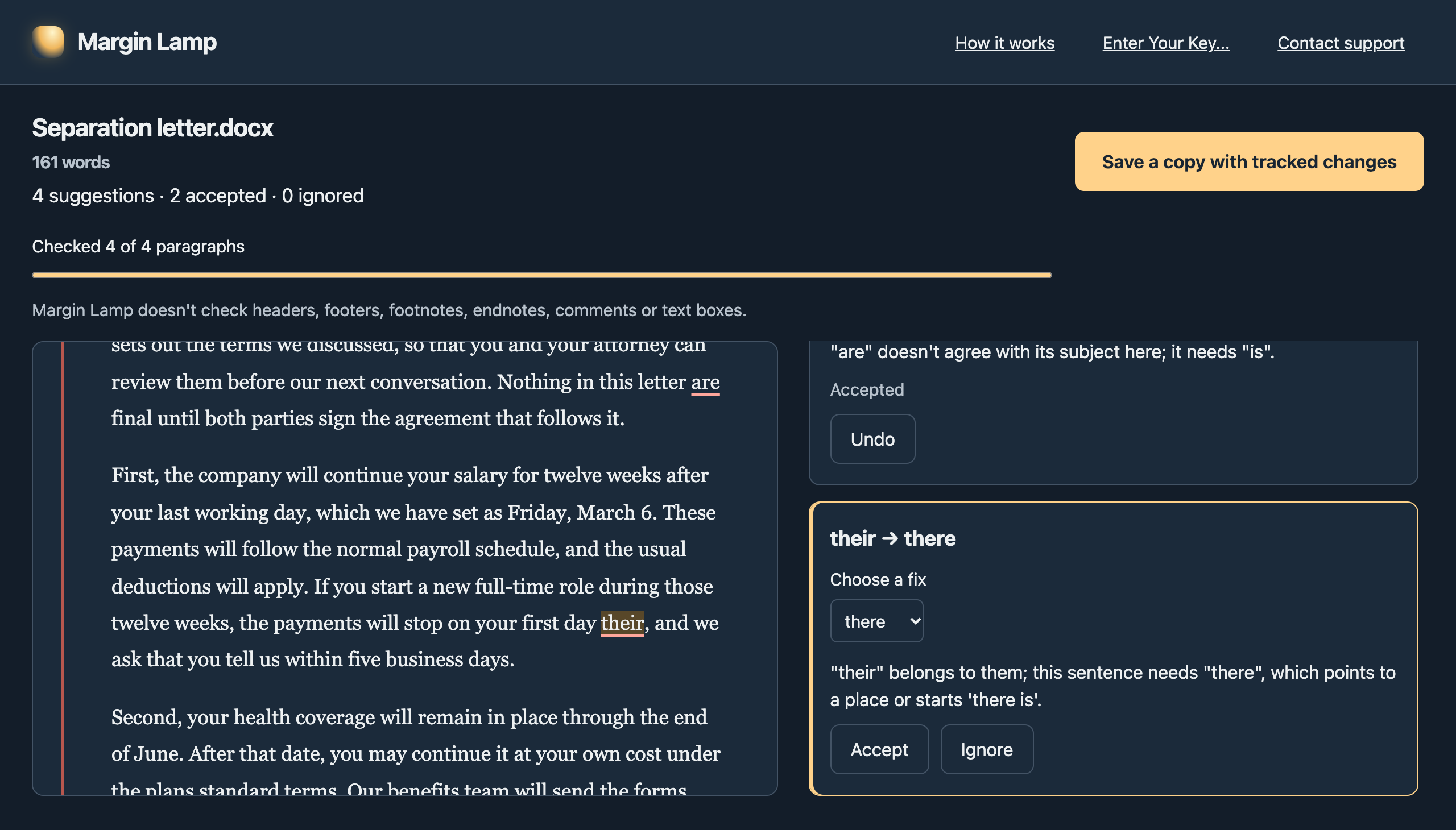
What are tracked changes for?
Tracked changes show proposed edits before you make them final. The next reader can see what changed and choose what to keep. A clean replacement file makes them hunt for the differences. With visible edits, they can read the old and new wording together before deciding.
For grammar work, read the whole sentence around a revision. Check the old wording as well as the new wording. A change may fix a local error and still affect a reference elsewhere in the document. If the choice is unclear, leave it for the person responsible for the text.
Which files should I keep?
| File | What to do |
|---|---|
| Original | Keep an untouched starting copy with a name you recognise. |
| Review copy | Open the file with proposed edits and inspect them in context. |
| Final text | Read the result after your choices, then follow your normal sharing process. |
Agree with other reviewers which copy is current. Avoid sending two files with almost the same name and asking the recipient to guess. Keep the original until the review is complete. That gives you a known reference if a later edit is questioned.
In Word, choose whether to accept or reject each tracked edit. Read the sentence before deciding. Use Word’s current help for the exact controls in your version. I do not have sourced menu steps for this guide, so the instructions here stay general.
How will the grammar review copy work?
Margin Lamp will open a Word .docx and show suggested fixes with a short plain-English reason for each fix.
Margin Lamp will save a separate copy with real Word tracked changes, for you to accept or reject in Word.
I want the next Word reader to be able to review the file. That still needs testing on the app. Does the copy open without a repair prompt? Does rejecting an edit restore the original text? Are the document’s other parts intact? Those checks are separate from grammar quality.
Do not treat the drawn preview as a file-format test. Its example sentences come from real engine output, but the marked page is an illustration. An engine can suggest a useful sentence while a document exporter still needs work. Both parts need tests on the actual app.
Does Grammarly make Word tracked changes?
I have not confirmed whether Grammarly or another rival produces Word tracked changes. If you need that feature, ask the maker about the saved file. Try a harmless document you are allowed to use. Check it in Word rather than judging from marked text in a checker window.
The existing Word check is also worth understanding:
Basic Editor functionality remains available offline or with connected experiences that analyze content disabled. In both cases, no content or data about Editor use is sent to Microsoft.
Microsoft’s statement covers when basic Editor works and what it sends. It does not say that Editor creates a tracked-changes document. Ask about checking and saving revisions as separate steps. Being able to check text does not tell you what the saved file will contain.
Before you send the reviewed result
Read the resulting document from the start. Check names, dates, numbers and terms that the grammar pass was never meant to verify. Make sure unresolved edits have an owner. If a colleague is meant to decide, send the review copy with a clear note about what remains. A tidy screen is not the same as a completed review.
Questions people ask
Should I accept every suggestion at once?
Read each edit first. A grammar tool does not know every intended meaning or document-specific term.
Will the saved copy already be final?
The plan is a copy for you to review. Margin Lamp will save a separate copy with real Word tracked changes, for you to accept or reject in Word.
Does Grammarly produce the same file?
I have not confirmed that feature. Ask the maker and try a harmless file.
Keep reading
I tested this
Sources
- learn.microsoft.com/en-us/microsoft-365-apps/privacy/connected-experiences · Read
- Margin Lamp product plan, V1 SHAPE, read 21 November 2026. These plans still need app tests.