Which offline checkers can I try today?
I’m the maker of Margin Lamp. I have listed the other tools so you can see what is available now. Start with the apps you write in and the computer you use. Then ask whether you need a marked Word file for someone else. Check each maker’s current price before paying.
| Checker | Price | Platforms | Where checking runs | Word documents | Tracked changes |
|---|---|---|---|---|---|
| Harper Desktop | Free. | Desktop beta: macOS 14 or later, Apple Silicon and Intel. Windows and Linux are on the roadmap. | Checking runs entirely on the Mac. No cloud, telemetry, account or large language model. | Harper Desktop works across Mac apps, including Mail, Slack, Notes, Pages and Discord. | Not confirmed by the cited page. |
| Refine | Free core checking. Lifetime licence: $38 for one Mac. | Mac only. The download lists macOS 14 or later. Windows and Linux have a waitlist. | Refine says Gemma 4 runs locally on your Mac and works offline. | Refine checks as you type across Mac apps, supports 36 languages and gives a reason with each fix. | Not confirmed by the cited page. |
| GrammarGem | $39 once. Grammar checking is free forever. | GrammarGem is a macOS writing assistant. | GrammarGem states that it runs on the device with zero bytes sent to the cloud. | A hotkey fixes or rewrites selected text in the app you are using. | Not confirmed by the cited page. |
| Grammate | Free unlimited local AI. Paid plans add cloud corrections. | Grammate is for Windows. | Local Mode runs AI on your Windows PC and works offline after local model setup. | Selected text can be checked in Word, Outlook, Chrome and other Windows apps, with a review panel for changes. | Not confirmed by the cited page. |
| Apple Writing Tools | Free with a supported device. | Writing Tools on Mac requires Apple Intelligence on an M1 or later Mac. | Apple says models run on the device in many cases. Larger tasks may go to Private Cloud Compute. This page does not name a separate location for Proofread. | Writing Tools offers Proofread, Rewrite and Summarize in most places you write, including third-party apps and websites. Usage limits may apply. | Not confirmed by the cited page. |
| Word Editor | Check your Word licence. | See your Word installation. | Basic Editor functionality remains available offline or with connected experiences that analyze content disabled. In both cases, no content or data about Editor use is sent to Microsoft. | Microsoft lists Editor among connected experiences that analyze your content. | The cited page does not confirm this. |
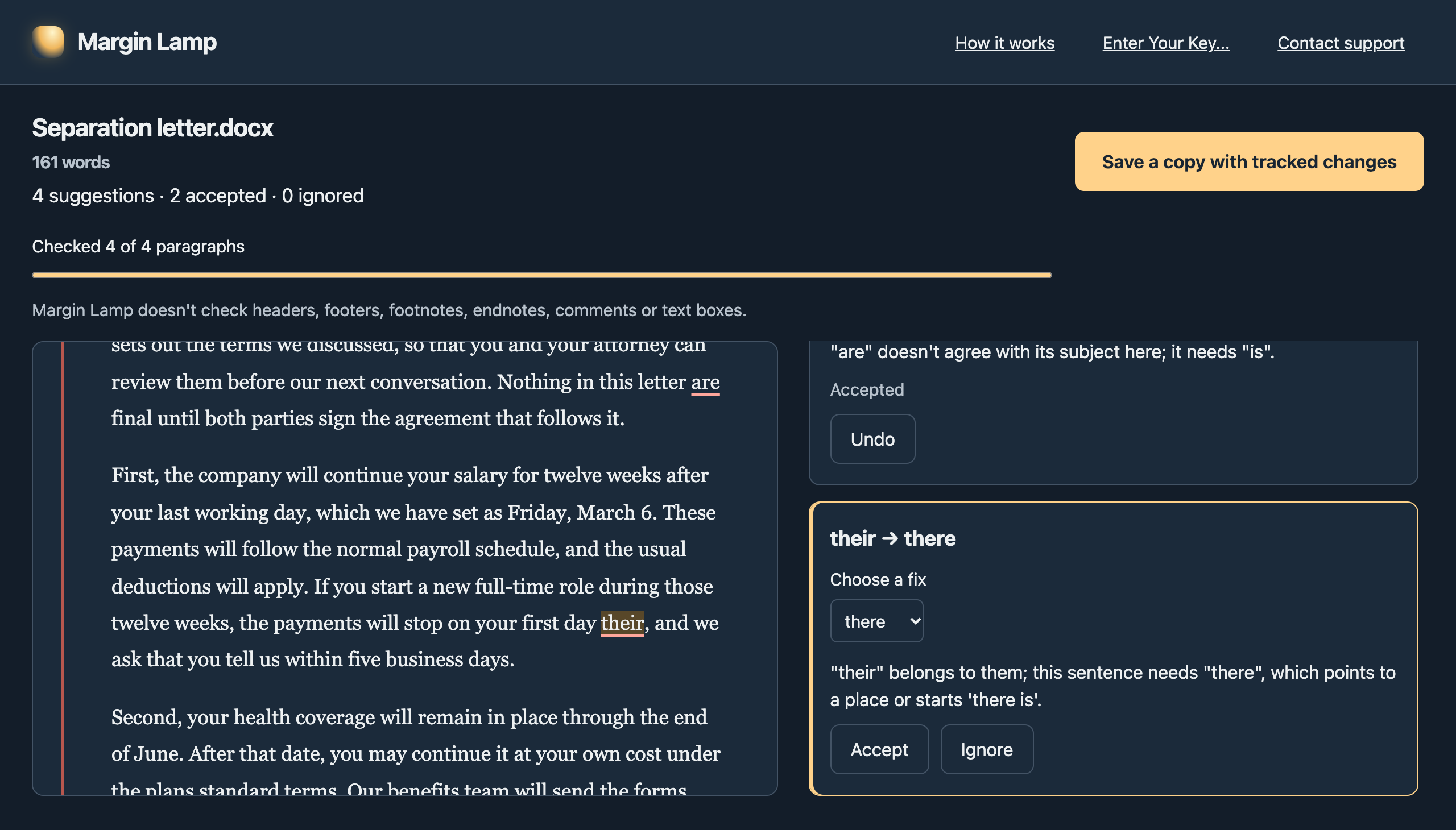
| Margin Lamp, ours | Planned price: $29 once. 30-day refund at launch. | Margin Lamp will be for Mac and Windows, with one licence and a one-time payment. | Margin Lamp will check writing on your computer and will never send the writing. | Margin Lamp will open a Word .docx and show suggested fixes with a short plain-English reason for each fix. | Margin Lamp will save a separate copy with real Word tracked changes, for you to accept or reject in Word. |
Which tool fits the way I write?
Use the table to narrow the choice. On a Mac, start with the rows that describe checking in your writing apps. On Windows, read the Grammate row. Try a free option first where one is offered. There is no reason to wait for my app if another tool meets your needs today.
Try the Word option before adding another tool. I have not tested its checking quality or the desktop apps in this list. The table records what their makers say. It does not tell you how many mistakes each will catch in your documents.
How can I check whether it works offline?
First, setup and checking can have different network needs. Turn off Wi-Fi after setup and try a made-up paragraph. This can show that a check needs a connection. Success does not prove that nothing can be sent later. You still need the privacy terms and your own rules for the document.
Second, a desktop icon does not tell you where the writing goes. Read the maker’s words about processing text. The Apple row includes the limit of its privacy statement. That statement does not show where a particular Proofread request ran.
What about a local LanguageTool server?
I ran an open-source LanguageTool build locally for the engine comparison. That test does not give you a ready-to-use Word app. I do not have a sourced setup guide for a supported local-server product, so it is not in this table. The linked comparison explains the engine run and its limits.
Questions people ask
Does local mean free?
No. Price and the place where checking happens are separate questions. Compare the rows rather than assuming either from the other.
Which option returns a Word review copy?
I have not confirmed this for the other tools. Ask the maker about the saved file. Margin Lamp will save a separate copy with real Word tracked changes, for you to accept or reject in Word.
Can I rely on the table after launch?
Re-read each source first. Prices, versions and platform support can change. These facts were read on the dates listed below.
Keep reading
I tested this
Sources
- writewithharper.com/desktop · Read
- refine.sh/ · Read
- grammargem.com/ · Read
- grammargem.com/docs · Read
- grammate.goodishlab.com/ · Read
- www.apple.com/apple-intelligence · Read
- support.apple.com/guide/mac-help/writing-tools-write-improve-summarize-mchldcd6c260/mac · Read
- www.apple.com/legal/privacy/data/en/intelligence-engine/ · Read
- learn.microsoft.com/en-us/microsoft-365-apps/privacy/connected-experiences · Read
- Margin Lamp product plan, V1 SHAPE, read 21 November 2026. These plans still need app tests.